
WordPress Auto Blogging Tool That Researches, Writes and Publishes For You
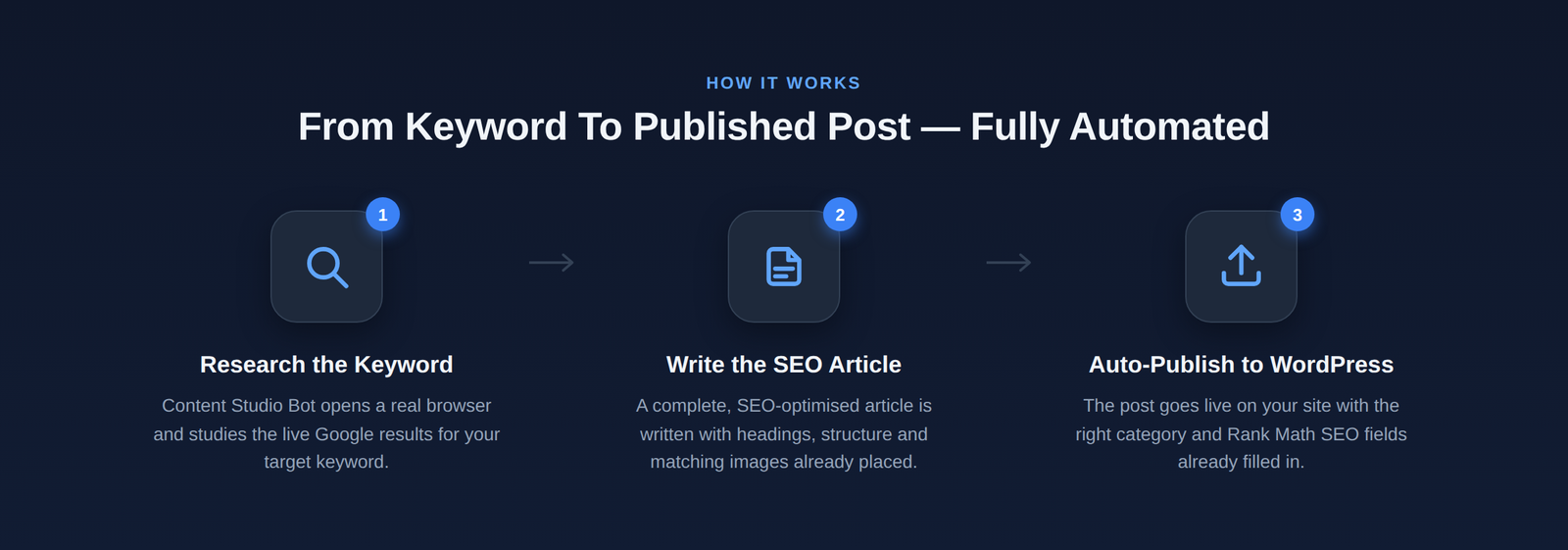
Content Studio Bot is a WordPress auto blogging tool that opens a real browser on your PC, studies the live Google results for your keyword, writes a complete SEO article, adds matching images and publishes it straight into your WordPress site — with the right category and Rank Math fields already filled in.
No plugin to install on your site. No API keys to configure. No copy-paste. Already publishing with Content Studio Bot? Turn those same posts into ready-to-pin graphics with our Pinterest Scheduler.
⬇ Download for WindowsSetup file (59 MB) · double-click · install · 5 free articles included
Windows may show a “file is not commonly downloaded” notice because the installer is new. Click Keep in your browser, then More info → Run anyway on the Windows screen.

Why This Auto Blogging Software Is Different
Most AI writers give you text and stop there. This one does the entire job — research, writing, images, publishing — while you watch it happen in a real browser window.
Live Google Research
- Top 8 competing pages analysed
- People Also Ask turned into a real FAQ
- Country-specific results (14 countries)
- Outline built to beat what already ranks
Human-Style Writing
- 3000–3500 words, whatever the heading count
- Short paragraphs, bold key phrases, real numbers
- Experience-led lines, no AI filler
- Unique opening hook for every section
Images Chosen Per Heading
- Separate visual search per heading, no repeats
- Cropped to 2:3, 1:1 or 16:9 — your choice
- Compressed for fast page loads
- Featured image built as a 4-photo collage
Publishes Into WordPress
- Images uploaded to your media library
- Existing category selected, never duplicated
- Internal and external links added
- Saved as draft or published — your call
Rank Math Ready
- Focus keyword set on the post
- Keyword density held at 0.5–0.8%
- SEO title, meta description and slug prepared
- Keyword in intro, subheadings and image alt text
Bulk Articles In One Run
- One line per article: keyword, title, category
- Different category for every article
- Sections written in parallel for speed
- Single sign-in for the whole batch
How To Auto Publish Articles To WordPress In 3 Steps
1. Install
Download the setup file, double-click and follow the installer. A desktop icon appears. Nothing is installed on your website.
2. Connect your site
Enter your license key, then your WordPress address, username and password. These stay on your own computer.
3. Queue and run
Add one line per article, pick category, image ratio and target country, then press Start Automation.
Content Studio Bot vs Ordinary AI Writers
| What matters | Content Studio Bot | Typical AI article generator |
|---|---|---|
| Keyword research | Live Google SERP and People Also Ask | Written from model memory alone |
| Article length control | Locked to 3000–3500 words | Drifts with the prompt |
| Images | One matched image per heading, auto-cropped | None, or one stock photo |
| Publishing | Signs in and posts to your site | You copy and paste every time |
| SEO fields | Rank Math focus keyword, meta, slug filled | Filled in manually afterwards |
| Setup | Install and go — no API keys | Sign-ups, keys and billing elsewhere |
Pricing
One simple plan. Full access to every feature for 1 month.
Questions before you buy? Chat with us on WhatsApp
Frequently Asked Questions
Does auto blogging still work in 2026?
It works when the output is genuinely useful. Google rewards helpful content regardless of how it was produced and penalises thin, repetitive pages. That is why this tool researches the live search results first, keeps every article substantial, adds real images and leaves the post as a draft so you can review it before it goes live.
How can I bulk upload articles to WordPress?
Put one line per article in the queue box using the format keyword, title, category. The bot signs in to your dashboard once, then creates each post in turn with its own images, category and SEO fields. A batch of ten runs unattended.
Is auto blogging legal?
Yes. Publishing AI-assisted content is allowed as long as it is accurate, original and helpful. Problems come from duplicating other people’s pages, which this tool never does — every article is written from scratch around your own keyword and title.
Do I need a plugin on my WordPress site?
No. The application runs on your Windows PC and works through the normal WordPress dashboard, exactly as you would. Nothing is added to your site.
Do I need an OpenAI or other API key?
No. The AI and image services run on our servers and are covered by your credits, so there is nothing to sign up for and no separate bills.
Are my WordPress login details safe?
Your site address, username and password are stored only in a settings file on your own computer. They are never uploaded to us.
Which countries can I target?
Fourteen tier-one markets including the United States, United Kingdom, Canada, Australia, New Zealand, Ireland, Germany, France, the Netherlands and Singapore.
Can I move my license to another computer?
Yes. Press Logout in the License tab on the old machine, then activate the same key on the new one. Your remaining credits move with the key.
Start Publishing On Autopilot
Install the app, connect your site, and your first five articles are on the house.
⬇ Download for Windows — Free